Storage, USB, & Power Testing on the Gigabyte Z890 Eagle WiFi7 Motherboard
To test M.2 and USB speeds we make use of CrystalDiskMark hard drive benchmarking tool. Our first drive is the Crucial T705, which is a Gen5 or PCI-Express 5.0 drive.
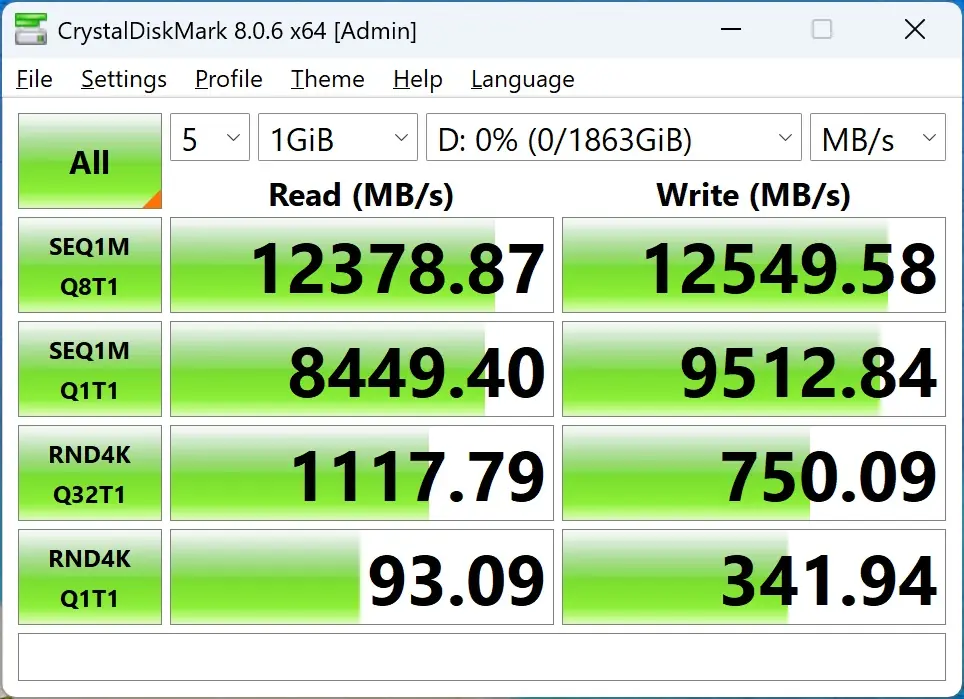
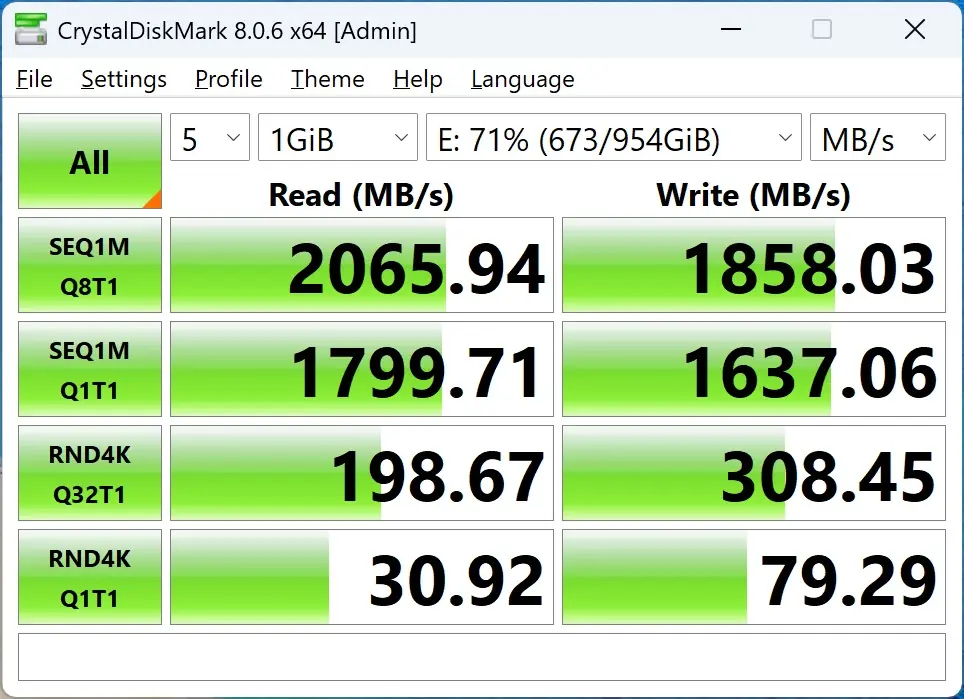
The next drive we tested was the Patriot Viper VP4300 Lite. It is a Gen4 or PCI-Express 4.0 drive.
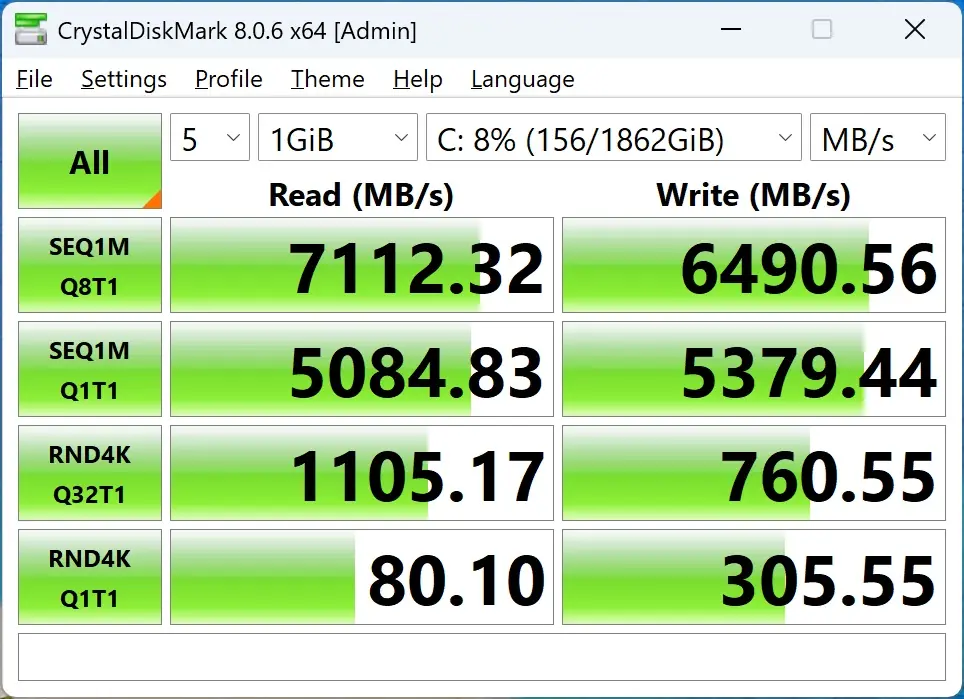
For USB testing we have the Lexar SL660 BLAZE, which is a USB 3.2 gen 2×2 drive. We used the USB4 Type-C port on the rear I/O of the board.
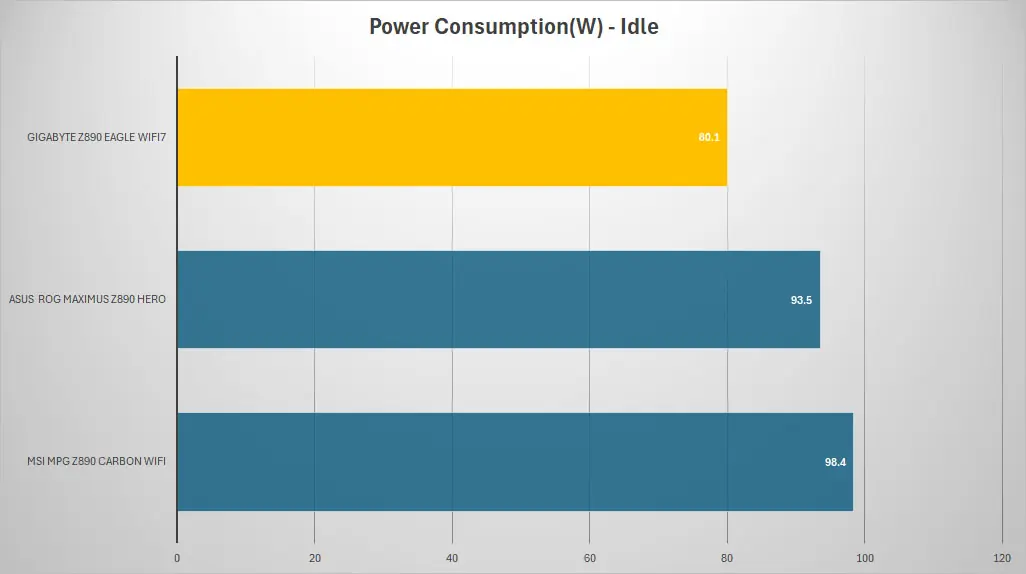
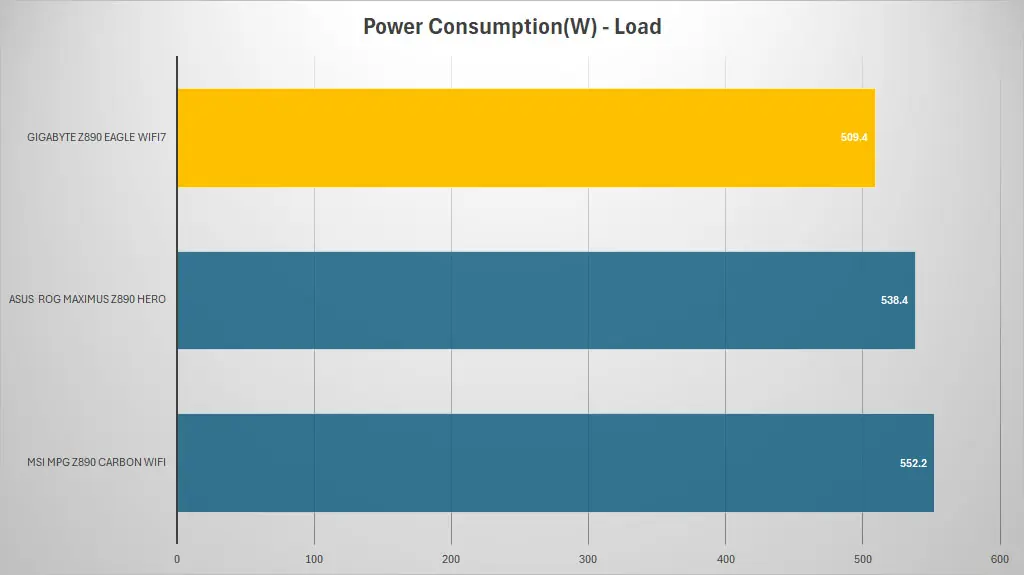
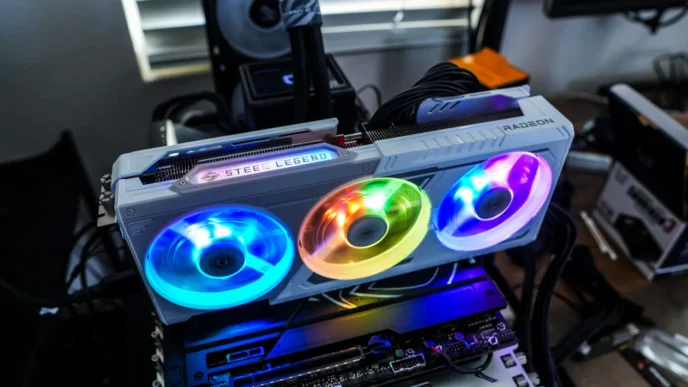
Power consumption for a system is of course very important. To measure power consumption I used a killawatt meter. The idle test is taken on the Windows 11 desktop and the load test is taken while running AIDA64’s system stability test with GPU’s enabled. Remember these values are for the entire system.